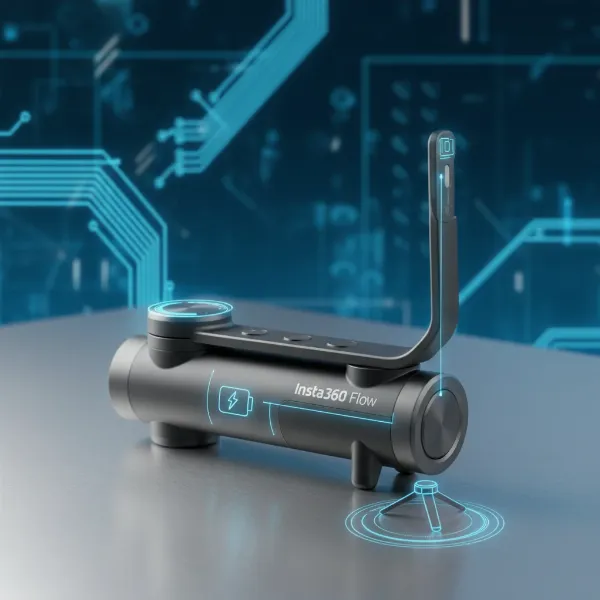
The quest for silky-smooth video footage is universal among content creators and adventure enthusiasts alike. Whether you’re capturing breathtaking action with a GoPro Max or immersive 360-degree worlds with an Insta360 X4, shaky footage can quickly diminish the impact of your efforts. Modern action cameras come equipped with incredible in-camera stabilization, yet there are still scenarios where an external stabilizer can elevate your content from good to truly cinematic. This comprehensive guide will navigate the best stabilization solutions, helping you choose the perfect tool to complement your GoPro Max or Insta360 X4, ensuring every shot is as steady as your vision.
Understanding Stabilization: Beyond In-Camera Tech
Both the GoPro Max and Insta360 X4 boast impressive built-in stabilization technologies: GoPro’s HyperSmooth and Insta360’s FlowState. These digital systems effectively smooth out bumps and shakes, making handheld footage remarkably stable for most casual uses. However, in extremely dynamic situations, like fast-paced action or complex camera movements, even these advanced algorithms can reach their limits, sometimes introducing subtle warping or a “jello” effect. This is where external stabilizers come into play, offering a layer of physical stabilization that complements or even surpasses digital methods.
Mechanical gimbals are electro-mechanical devices that use motors and sensors to keep your camera level across multiple axes, effectively counteracting unwanted movements. A 3-axis gimbal, the most common type, stabilizes against pitch (tilt), roll (side-to-side rotation), and yaw (pan). This active stabilization provides a floaty, professional look that digital stabilization alone often struggles to achieve, especially when performing complex camera moves.
Passive stabilizers, on the other hand, are simpler, more affordable devices that rely on weights and counterbalances to absorb shocks and dampen vibrations. While they don’t offer the buttery smoothness of a motorized gimbal, they can still significantly reduce shake compared to completely bare handheld shooting.
For 360 cameras like the Insta360 X4, stabilization takes a unique turn. While FlowState is excellent, the concept of an “invisible selfie stick” is equally crucial. These specially designed monopods extend your camera into the scene without appearing in the final stitched 360 footage. While not a traditional stabilizer, using a longer, stable stick can naturally reduce minor shakes by increasing the pivot distance, and they unlock creative perspectives that mimic drone shots, adding perceived stability through unique framing.
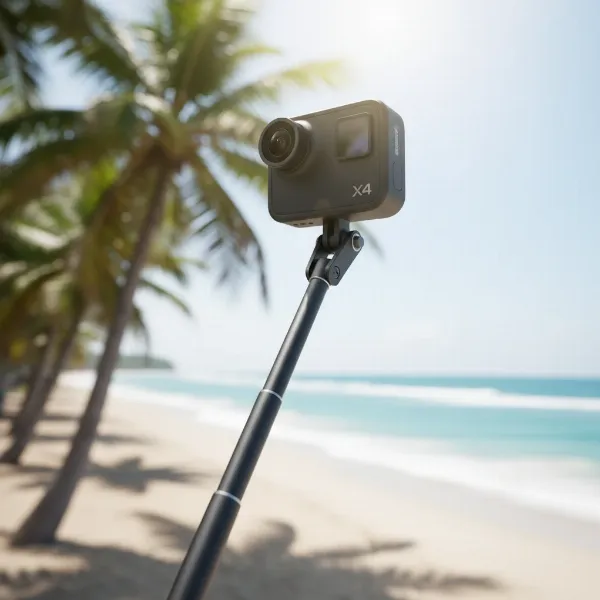 Insta360 X4 camera mounted on an invisible selfie stick for smooth 360 footage.
Key Factors When Choosing a Stabilizer
Selecting the right stabilizer for your GoPro Max or Insta360 X4 involves more than just picking the most expensive option. Several critical factors should influence your decision to ensure the device perfectly matches your camera, shooting style, and budget.
Compatibility is paramount. While many gimbals are designed for action cameras, ensure the model you choose specifically supports the dimensions and weight of your GoPro Max. For the Insta360 X4, compatibility is even more nuanced, as a gimbal’s design must not obstruct the camera’s multiple lenses to avoid being visible in the 360 stitch. Some gimbals are purpose-built for 360 cameras, while others might require specific adapters.
Stabilization Performance dictates how smooth your footage will ultimately be. Most high-quality stabilizers offer 3-axis mechanical stabilization, providing superior anti-shake capabilities compared to simpler 2-axis or passive solutions. Look for strong motors that can handle sudden movements without losing balance.
Weight and Portability are vital for action camera users who are often on the move. A lightweight, compact stabilizer is easier to carry on hikes, bike rides, or travel, increasing the likelihood that you’ll actually use it. Consider models that fold down for easy transport.
Battery Life is another critical consideration, especially for long shooting sessions. A stabilizer with a robust battery can provide hours of continuous use, preventing interruptions during crucial moments. Many gimbals can also charge your camera while in use, an added bonus. For example, the Hohem Pro 4 boasts up to 14 hours of battery life.
Build Quality and Durability are essential for devices intended for adventure and outdoor use. Look for robust construction materials and, ideally, splash-proof or water-resistant designs to withstand various environmental conditions.
Advanced Features can significantly enhance your shooting experience. These might include AI tracking (to automatically follow a subject), various follow modes (pan follow, tilt follow), quick-release plates for easy camera mounting, and even integrated fill lights or microphones.
Finally, Price vs. Value should always be weighed. While premium gimbals offer top-tier performance and features, more budget-friendly options can still deliver excellent results for many users. Determine your non-negotiable features and find a stabilizer that fits your budget without compromising essential functionality.
Top Stabilizers for Your GoPro Max
The GoPro Max, while featuring excellent in-camera HyperSmooth stabilization, can achieve truly professional-grade fluidity with the right external stabilizer. Traditional 3-axis gimbals are often the go-to choice for action camera users seeking the smoothest possible footage for vlogging, sports, or cinematic shots.
The Hohem iSteady Pro 4 stands out as a strong contender for GoPro users. It offers 3-axis stabilization and is explicitly compatible with a wide range of GoPro models, including Hero 7 through 12. Its robust build and impressive battery life of up to 14 hours make it a reliable companion for extended shooting adventures. Many users appreciate its intuitive controls and splash-proof design, which adds to its versatility in various environments.
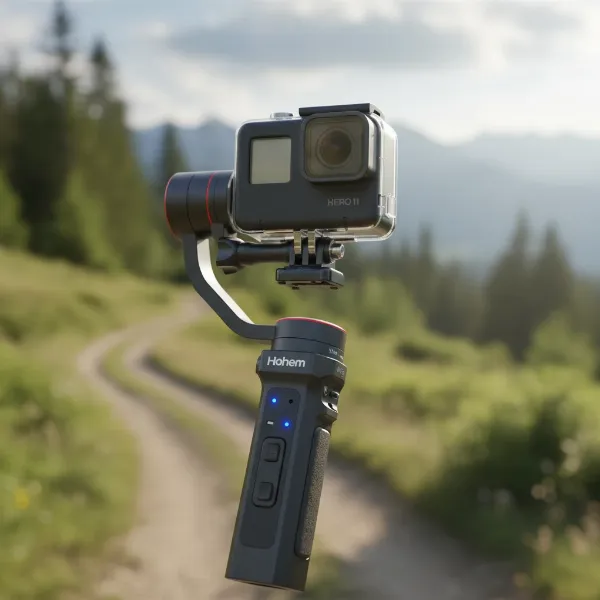 Hohem iSteady Pro 4 gimbal stabilizing a GoPro camera for professional-grade video.
For those seeking more professional features and broader compatibility, the FeiyuTech SCORP Mini 2 (and its predecessor, the G6 Max) offers a versatile solution. While often designed with mirrorless cameras in mind, the SCORP Mini 2 also supports action cameras like the GoPro Max, providing highly stable footage with advanced creative modes. The G6 Max, in particular, is noted for its durable build and comprehensive features, appealing to professional videographers. These gimbals often feature advanced follow modes, allowing for intricate camera movements that keep your subject perfectly framed and steady.
Another consideration, although primarily designed for smartphones, is the DJI OM series. With appropriate adapters (often sold separately), these compact and user-friendly gimbals can effectively stabilize your GoPro Max. Their ease of use and powerful software features, like ActiveTrack, can be very appealing, though you must ensure a secure and balanced mount for your GoPro.
“Choosing a gimbal for your GoPro Max means investing in cinematic fluidity. While HyperSmooth is fantastic, a well-balanced 3-axis gimbal provides an unparalleled level of smoothness, especially for dynamic movements.” – Alex “ActionCam” Thorne, Professional Adventure Videographer
Ultimately, the best stabilizer for your GoPro Max depends on your specific needs. If you prioritize long battery life and solid action camera compatibility at a competitive price, the Hohem iSteady Pro 4 is an excellent choice. If versatility across multiple camera types and advanced features are your priority, then a FeiyuTech model might be more suitable.
Specialized Stabilization for Insta360 X4 (and other 360 Cameras)
The Insta360 X4 operates on a different philosophy when it comes to stabilization compared to a traditional action camera like the GoPro Max. Its industry-leading FlowState stabilization is exceptionally effective at smoothing out shakes and rolls, making external gimbals less of an absolute necessity for general shooting. Moreover, the unique nature of 360-degree capture means that traditional gimbals can often interfere with the stitching process, becoming visible in the final footage if not designed carefully.
For the Insta360 X4, the concept of “stabilization” often extends to the strategic use of invisible selfie sticks and monopods. These accessories, combined with FlowState, create the illusion of a floating camera or even a drone, as the stick itself is automatically removed from the 360 stitch. While not providing mechanical stabilization in the same way a gimbal does, a longer, sturdy selfie stick can offer a more stable base, especially when used with two hands or extended for unique perspectives. This inherent stability, combined with the camera’s powerful software, is often sufficient for producing incredibly smooth and immersive 360 videos.
However, dedicated gimbals for 360 cameras do exist, though they are rarer. The FeiyuTech G360 and Guru 360 are examples of mechanical gimbals specifically designed with 360 cameras in mind. Their unique construction places the mechanical components directly below the camera, ensuring they do not obstruct the dual lenses or appear in the stitched footage. These gimbals can provide an extra layer of mechanical smoothness, particularly beneficial for walking shots or complex movements where even FlowState might show subtle limitations. However, these models can be older and harder to find compared to mainstream action camera gimbals.
Choosing a stabilizer for your Insta360 X4 largely depends on whether you value maximum mechanical smoothness above all else, or if the creative freedom and “invisible” perspective offered by selfie sticks and FlowState are sufficient. For most X4 users, optimizing the use of its in-camera stabilization and leveraging invisible accessories will yield outstanding results.
Detailed Comparison of Popular Stabilizers
When comparing stabilizers for your action and 360 cameras, it’s helpful to look at key specifications and their intended use cases side-by-side. This table focuses on some of the top recommendations, highlighting their strengths for different camera types.
| Feature / Model | Hohem iSteady Pro 4 | FeiyuTech SCORP Mini 2 | FeiyuTech G360 (for 360 cams) |
|---|---|---|---|
| Camera Compatibility | GoPro (Hero 7-12), Insta360 One R, DJI OSMO Action | GoPro, Mirrorless, Smartphone | Most 360 cameras, small action cams |
| Stabilization | 3-axis mechanical | 3-axis mechanical | 3-axis mechanical |
| Battery Life | Up to 14 hours | ~12 hours | ~6 hours |
| Key Features | Splash-proof, quick-release, various modes | Multi-device, compact, professional-grade modes | 360-specific design, unobtrusive in 360 view |
| Price (Approx.) | $65-$79 | $169-$259 | ~$299 (similar Guru 360) |
| Pros | Affordable, excellent battery life, strong GoPro support | Highly versatile, robust performance, supports diverse cameras | Specifically designed for 360 camera integration, minimizes obstruction |
| Cons | Less versatile for other camera types compared to SCORP Mini 2 | Higher cost, can be more complex for beginners | Older model, potentially harder to find, lower battery life compared to others |
The Hohem iSteady Pro 4 offers a compelling blend of affordability and performance specifically for GoPro users, making it a great value. The FeiyuTech SCORP Mini 2 provides broader compatibility for those who use multiple camera types but comes at a higher price point. For dedicated 360 camera enthusiasts, the FeiyuTech G360 (or similar 360-specific gimbals like the Guru 360) addresses the unique challenge of gimbal visibility, though they may represent older technology and might require some searching to acquire.
Buying Guide: Finding Your Perfect Stabilizer
Navigating the array of stabilizers can be daunting, but a structured approach can help you pinpoint the ideal device for your needs. Consider these steps before making your purchase decision.
First, assess your primary camera and use case. Are you mainly using a GoPro Max for high-action sports where absolute smoothness is critical, or an Insta360 X4 for immersive travel vlogs? The demands of a downhill mountain biking shot differ significantly from a gentle panoramic sweep. Understanding your core activity will guide you toward either a robust mechanical gimbal or a more minimalist setup leveraging in-camera tech and invisible accessories.
Next, prioritize your stabilization needs. For many users, the native stabilization of the GoPro Max (HyperSmooth) and Insta360 X4 (FlowState) is more than sufficient. However, if you’re consistently encountering shaky footage in specific scenarios, or if you aspire to achieve truly cinematic camera movements, then an external gimbal is a worthwhile investment. Don’t overspend if a simpler solution meets your quality threshold.
Align your choice with your budget. Stabilizers range from under $100 for basic passive options to several hundred dollars for advanced 3-axis gimbals. Determine how much you’re willing to invest, but remember that a higher price often correlates with better build quality, more features, and superior stabilization performance.
It’s highly recommended to read reviews and watch video demos of any stabilizer you’re considering. Real-world tests and user feedback can reveal practical aspects like ease of balancing, app functionality, and actual battery life, which specifications alone might not convey. Pay close attention to how a stabilizer performs with your specific camera model.
Finally, consider future-proofing your investment. If you anticipate upgrading your camera or using multiple cameras, a versatile gimbal that supports various devices might be a smarter long-term choice. Some gimbals designed for mirrorless cameras can also handle action cameras with the right mounting plates, offering more flexibility down the line.
Tips for Using and Maintaining Your Stabilizer
Owning a stabilizer is just the first step; mastering its use and ensuring its longevity requires a few key practices. Following these tips will help you get the most out of your device and keep it in top condition.
First and foremost, balance your camera correctly on the gimbal. This is perhaps the most crucial step for any mechanical gimbal. Proper balancing reduces strain on the motors, extends battery life, and ensures the smoothest possible footage. Most gimbals come with instructions or an app that guides you through the balancing process, which usually involves adjusting the camera’s position along each axis until it rests level naturally.
Always ensure your gimbal’s firmware is up to date. Manufacturers frequently release updates that improve stabilization algorithms, add new features, or enhance compatibility with newer camera models. Checking for and installing these updates via the companion app is a simple way to optimize performance.
Regular cleanliness is essential, especially for gimbals used in outdoor or dusty environments. Wipe down the device after use to remove dirt, sand, or moisture. Pay attention to the motor joints and contacts. Store your stabilizer in a protective case to prevent accidental damage and keep dust at bay.
Proper battery care is vital for electronic gimbals. Always use the manufacturer-recommended charger and avoid fully draining the battery whenever possible. For long-term storage, charge the battery to about 60-70% to maintain its health.
Lastly, practice makes perfect. Learning to operate a gimbal smoothly takes time and repetition. Experiment with different walking styles (e.g., the “ninja walk”), practice various camera movements, and get comfortable with the controls. The more you use it, the more intuitive and fluid your shots will become.
Conclusion
The pursuit of perfectly stable footage is a continuous journey for creators, and the right stabilizer can be an indispensable tool for both your GoPro Max and Insta360 X4. While the incredible in-camera stabilization of these cameras handles much of the work, external stabilizers offer an additional layer of professional polish, expanding your creative possibilities. For the GoPro Max, a robust 3-axis gimbal like the Hohem iSteady Pro 4 or FeiyuTech SCORP Mini 2 can deliver unparalleled cinematic smoothness. For the Insta360 X4, a deep understanding of its FlowState stabilization paired with strategic use of invisible selfie sticks and occasionally a specialized 360-specific gimbal offers a unique blend of creativity and stability. The “best” choice is ultimately a personal one, depending on your primary camera, specific filming scenarios, and budget. By carefully considering compatibility, performance, and features, you can unlock a world of smooth, captivating content. What adventures will your stabilized footage capture next?
Frequently Asked Questions
Do I need a gimbal for my Insta360 X4?
For most shooting scenarios, the Insta360 X4’s FlowState in-camera stabilization is remarkably effective, making an external gimbal less essential than for traditional action cameras. However, a dedicated 360-camera gimbal can provide an extra layer of mechanical smoothness for highly dynamic or complex movements, ensuring truly unshakeable footage.
Can I use a GoPro gimbal with an Insta360 X4?
While some gimbals designed for action cameras might physically hold an Insta360 X4, they are generally not ideal. The design of most gimbals can obstruct the 360 camera’s lenses, appearing in your stitched footage. Specialized 360-camera gimbals are designed to keep components below the camera to avoid this issue.
What’s the difference between 2-axis and 3-axis gimbals?
A 2-axis gimbal stabilizes against two planes of motion (typically tilt and roll), while a 3-axis gimbal adds stabilization against the third plane (pan). This additional axis provides superior smoothness, especially when the camera is moving horizontally, making 3-axis gimbals the preferred choice for professional-looking footage.
How much should I spend on a stabilizer?
The cost of a stabilizer can range from under $100 for basic passive models to several hundred dollars for advanced 3-axis gimbals with professional features. Your budget should align with your specific stabilization needs and how frequently you plan to use the device. More expensive gimbals often offer better build quality and more advanced stabilization.
Can a selfie stick stabilize my 360 camera?
While a selfie stick itself isn’t a mechanical stabilizer, it can contribute to perceived stability for a 360 camera like the Insta360 X4. A longer, sturdy stick can provide a more stable platform and, combined with the camera’s FlowState stabilization and the “invisible” effect, can create smooth, drone-like footage from unique perspectives.