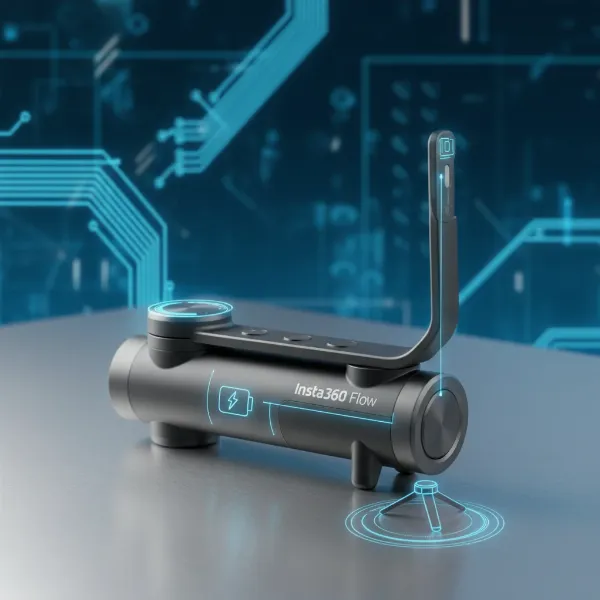
Gimbals have revolutionized videography, transforming shaky handheld footage into smooth, cinematic sequences. But owning a gimbal is only half the battle; truly mastering it means understanding its various modes. These modes dictate how your camera moves in relation to your hand, opening up a world of creative possibilities or, if misunderstood, leading to frustratingly inconsistent shots. Diving into the core functionalities like Pan Follow, Lock, and FPV modes is crucial for anyone looking to elevate their video production. This guide aims to demystify these essential gimbal modes, helping you choose the perfect setting for every shot and unlock your gimbal’s full potential.
The Power of Gimbal Modes in Filmmaking
Modern gimbals are sophisticated devices, utilizing multiple motors to stabilize your camera across three axes: pan (left-right rotation), tilt (up-down rotation), and roll (sideways rotation). Each gimbal mode thoughtfully adjusts how these axes respond to your movements, providing specific stabilization and creative effects. By learning when and how to deploy each mode, filmmakers can achieve everything from subtle, professional-looking tracking shots to dynamic, immersive sequences that captivate viewers. It’s not just about keeping the camera steady; it’s about controlling its precise movement to tell your story more effectively.
Exploring Common Gimbal Modes
While gimbals often feature several specialized modes, Pan Follow, Lock, and FPV are fundamental to most setups. Understanding these core modes is your first step towards becoming a gimbal master.
Pan Follow Mode (PF): Smooth Horizontal Tracking
Pan Follow mode is arguably the most frequently used gimbal setting, offering a versatile foundation for many types of shots.
- How it works: In Pan Follow mode, the gimbal’s pan axis responds to your left-to-right or right-to-left hand movements, allowing the camera to smoothly track horizontally. Crucially, the tilt (up-down) and roll (sideways) axes remain locked, ensuring your horizon stays level and preventing unwanted vertical or rotational shifts. This creates a stable, consistent plane for your camera.
- When to use it: This mode excels when you need to follow a subject moving across the frame, pan across a landscape, or capture smooth orbiting shots around a stationary object. It’s also a favorite for vloggers who want to keep themselves centered while moving. Pan Follow mode is ideal for establishing shots and general tracking where the vertical perspective should remain constant.
- Pros:
- Provides exceptionally stable horizontal panning.
- Keeps the horizon perfectly level, simplifying post-production.
- Intuitive and easy to learn for beginners.
- Great for classic tracking and establishing shots.
- Cons:
- Limited vertical movement, which might feel restrictive for dynamic shots requiring upward or downward tilts.
- Can feel too rigid if you need quick, multi-directional adjustments.
|
Our Picks for the Best Washing Machine in 2026
As an Amazon Associate I earn from qualifying purchases.
|
||
| Num | Product | Action |
|---|---|---|
| 1 | COSTWAY Portable Washing Machine, Twin Tub 26 Lbs Capacity, 18 Lbs Washer and 8 Lbs Spinner, Compact Washer with Control Knobs, Timer Function, Drain Pump, Laundry washer for Apartment RV, Blue |

|
| 2 | COSTWAY Portable Washing Machine, Twin Tub 26lbs Capacity Laundry, 18lbs Washer and 8lbs Spinner Combo with Timer Knobs, Built-in Drain Pump, Compact Washer for Home Dorm Apartment (Grey+White) |
|
| 3 | Giantex Portable Washing Machine, 21lbs Capacity, 14.4lbs Washer and 6.6Llbs Spinner, Compact for Apartment RV, White & Gray, GT-GE-10390US-GR-FP |
|
| 4 | Portable Washing Machine,16L Upgraded Large Capacity Portable Washer With 3 Modes Deep Cleaning.Suitable For Travel, Camping,Apartments, Dormitories, Hotels (Green) |
|
| 5 | Giantex Portable Washing Machine, 17.6lbs Compact Washer Spinner Combo with Pump Drain, Twin Tub 11lbs Wash & 6.6lbs Spin, Lavadoras Portatiles for Apartment RV Dorm College (White & Blue) |
|
| 6 | Portable Washing Machine - Compact 2.0 Cu.ft Portable Washer, Full-Automatic Top Loader for Space Saving, Ideal for Apartments, Homes, and Dorms, 10 Wash Cycles, Low Noise, IPX4 with Drain Pump |
|
| 7 | Giantex Portable Washing Machine, 20lbs Capacity, Twin Tub 2lbs Washer & 8lbs Spinner Combo, Compact for Apartment RV Dorms, Blue & White, GT24267-PE |
|
| 8 | COSTWAY Portable Washing Machine, Twin Tub 26lbs Capacity Laundry Washer, 18lbs Washer and 8lbs Spinner Combo with Timer Knobs, Built-in Drain Pump, Compact Washer for Home Dorm Apartment, Blue+White |
|
| 9 | Waterjoy Portable Washing Machines, 7.7 lbs Load Capacity Portable Washer and Dryer Combo with Built-in Barrel Light & LED Display for Household and Apartment (Blue) |
|
| 10 | Avanti Portable Compact Washing Machine for Clothes/Laundry, 0.84 Cu. Ft. Capacity, Standard Sink/Faucet Attachment for Apartment, Dorm, RV, White |
|
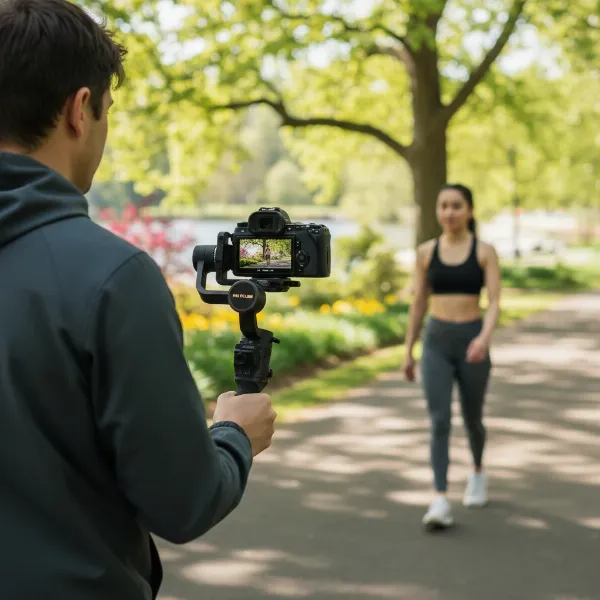 A videographer using a gimbal in Pan Follow mode, smoothly tracking a subject moving horizontally across a park landscape.
Lock Mode (L): Fixed Perspective Stability
When you need your camera to point in one unyielding direction, regardless of how your hand moves, Lock mode is your go-to.
- How it works: In Lock mode, all three axes—pan, tilt, and roll—are completely locked. This means the camera maintains its initial direction and angle, no matter how you move the gimbal handle. Your camera effectively becomes a fixed, floating point in space.
- When to use it: Lock mode is perfect for “dolly zoom” effects (where you walk backward or forward while maintaining the subject size), hyperlapses, or any shot where you need a rock-solid, fixed perspective. It’s also useful for precise compositional framing where you want to eliminate any unintended camera drifts. Imagine walking around an object you want to keep perfectly centered, or moving through a crowd with the camera fixed on a distant point.
- Pros:
- Offers unparalleled stability and precision for static framing.
- Eliminates all unwanted rotational movements.
- Ideal for shots requiring a very controlled and unchanging perspective.
- Cons:
- Extremely restrictive, offering no dynamic camera movement from the gimbal itself.
- Can be challenging for shots where the subject is highly mobile, as you’ll have to manually reposition your entire body to keep it in frame.
FPV Mode: Unleashing Dynamic, Immersive Shots
For those looking to break free from traditional camera movements and add a dynamic, cinematic flair, FPV (First Person View) mode delivers.
- How it works: FPV mode unlocks all three axes—pan, tilt, and roll—allowing them to follow your hand movements freely. This means the camera will mimic every twist, turn, and tilt of your wrist, creating a more immersive and often exhilarating “first-person” perspective. Many gimbals in FPV mode also allow you to control the roll axis with a dedicated wheel or joystick, enabling creative “barrel roll” effects.
- When to use it: This mode is a favorite for action sports, artistic sequences, or whenever you want to evoke a sense of flight or raw energy. It’s fantastic for creating drone-like shots, dynamic transitions, or injecting a sense of speed and motion into your footage. If you want your audience to feel like they are directly experiencing the scene, FPV mode is your best friend.
- Pros:
- Maximum creative freedom and dynamic movement.
- Enables immersive, high-energy shots.
- Allows for unique perspectives and “barrel roll” effects.
- Cons:
- Can be challenging to master and keep smooth without significant practice.
- Overuse can lead to disorienting or amateurish footage.
- Requires more deliberate control to avoid unintended movements.
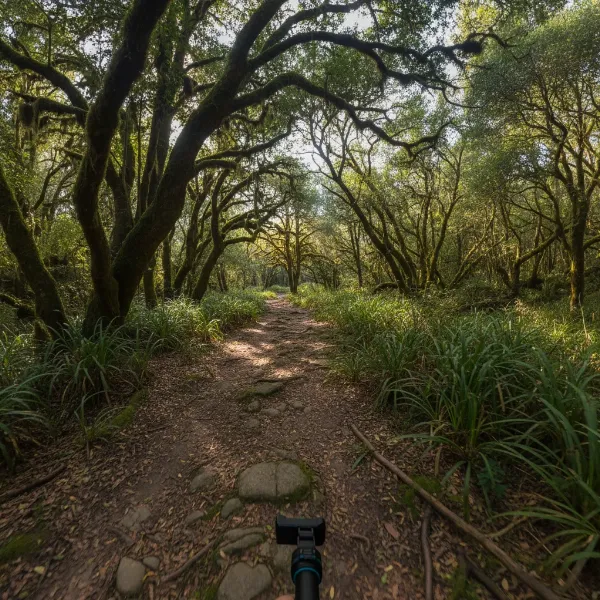 A filmmaker executing a dynamic, immersive shot using a gimbal in FPV mode, capturing a winding path through a forest with a sense of speed and freedom.
Choosing the Right Gimbal Mode for Your Shot
Selecting the optimal gimbal mode is less about a “best” mode and more about the “right” mode for your specific creative vision. Consider these factors:
- Consider your creative intent: What feeling or message are you trying to convey? For a calm, observational scene, Pan Follow or Lock mode might be suitable. For a high-energy, experiential sequence, FPV mode is ideal. Let your story dictate the mode.
- Assess subject movement: Is your subject moving horizontally, vertically, or in an unpredictable, multi-directional way? A person walking across a frame suggests Pan Follow, while an object you want to fix in position as you move around it points to Lock mode. A skateboarder doing tricks might benefit from FPV.
- Evaluate shot complexity: Simple, straightforward movements are often best achieved with Pan Follow or Lock. More intricate, dynamic shots that require full camera articulation will benefit from FPV. Don’t overcomplicate a simple shot with an overly dynamic mode.
Comparative Overview: Gimbal Modes at a Glance
To simplify your decision-making, here’s a quick comparison of the three primary gimbal modes:
| Feature | Pan Follow (PF) | Lock Mode (L) | FPV Mode |
|---|---|---|---|
| Pan Axis | Follows hand movement | Locked (fixed direction) | Follows hand movement |
| Tilt Axis | Locked (fixed horizon) | Locked (fixed direction) | Follows hand movement |
| Roll Axis | Locked (fixed horizon) | Locked (fixed direction) | Follows hand movement |
| Best For | Horizontal tracking, vlogging, sweeping landscapes | Fixed perspective, hyperlapses, dolly zooms | Dynamic, immersive, creative, drone-like shots |
| Control | Simple, intuitive | Simple, precise | Complex, highly expressive |
| Learning Curve | Low | Low | High |
| Horizon | Maintained level | Maintained level | Can tilt/roll freely |
Tips for Mastering Gimbal Modes
Understanding is the first step; mastery comes with practice and mindful application. Here are some tips to help you excel with your gimbal modes:
- Practice regularly: The best way to get a feel for each mode is to simply use it. Spend time experimenting with different movements, subjects, and lighting conditions. The more you practice, the more intuitive the controls will become.
- Understand your gimbal’s specific controls: While the core modes are similar across brands, activation and fine-tuning may vary. Read your gimbal’s manual and watch tutorials specific to your model to fully grasp its unique features and shortcuts for switching modes.
- Experiment with different scenarios: Don’t limit yourself. Try using Pan Follow for a subject running, Lock mode for a reveal shot, or FPV for a walk through a bustling market. Push the boundaries to discover new creative uses.
- Combine modes for advanced shots: Many experienced videographers seamlessly switch between modes within a single take to achieve complex camera movements. For example, you might start with Pan Follow, transition to Lock for a specific part of the shot, and then switch to FPV for a dynamic exit.
- Balance your gimbal correctly: Regardless of the mode, a properly balanced gimbal is paramount for smooth operation. An unbalanced gimbal will struggle, drain battery faster, and produce shaky footage, undermining the benefits of any mode.
Conclusion
Understanding and effectively utilizing your gimbal’s Pan Follow, Lock, and FPV modes is a transformative skill for any videographer. Each mode offers a distinct way to stabilize and move your camera, allowing you to tell stories with greater precision, stability, and creative flair. By knowing when to lock your perspective, smoothly track horizontally, or plunge into a fully immersive first-person view, you gain unparalleled control over your visual narrative. Embrace the learning process, experiment boldly, and watch as your footage transcends the ordinary. What will you create when you truly master your gimbal’s modes?
Frequently Asked Questions
When should I use Pan Follow mode versus Lock mode on my gimbal?
Use Pan Follow mode when you want your camera to smoothly follow horizontal movements while keeping the horizon level, like tracking a person walking or panning across a landscape. Choose Lock mode when you need the camera to stay pointed in a perfectly fixed direction, regardless of your hand movements, ideal for static shots or specific effects like a dolly zoom.
Is FPV mode only for action shots, or can it be used for other creative purposes?
While FPV mode is excellent for dynamic action shots and creating an immersive, high-energy feel, its ability to move freely across all three axes also makes it versatile for other creative purposes. You can use it for unique transitions, artistic abstract movements, or to simulate a dreamlike sequence where the camera floats and twists, offering a fresh visual perspective beyond just high-speed action.
How do I switch between gimbal modes quickly during a shoot?
Most gimbals feature dedicated buttons or a joystick control for rapidly switching between modes. Many gimbals allow you to customize these buttons or use a trigger for quick toggling. Familiarize yourself with your specific gimbal’s interface and practice mode transitions to ensure seamless changes during a live shoot, preventing interruptions to your flow.
Can I combine different gimbal modes in a single continuous shot?
Yes, experienced videographers frequently switch between different gimbal modes within a single take to achieve complex and nuanced camera movements. This technique allows you to adapt the gimbal’s behavior to evolving scene dynamics, perhaps starting with Pan Follow for a general sweep, locking the camera for a precise detail, and then switching to FPV for a dynamic exit, creating a truly cinematic sequence.